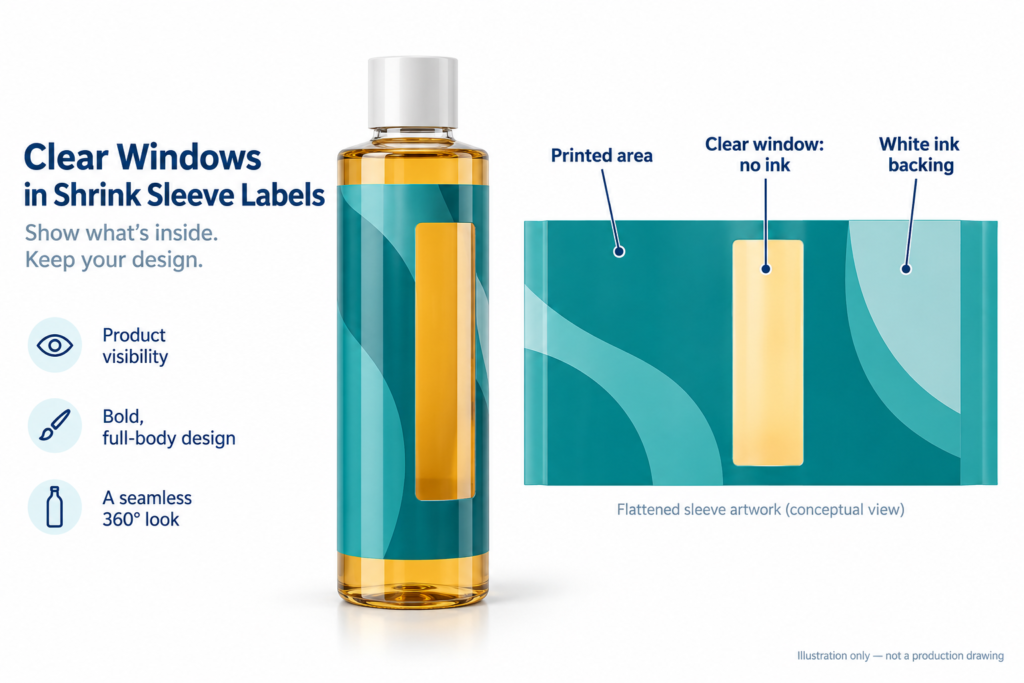
A clear window in a shrink sleeve label lets customers see the product while keeping space for branding and product information. The key is to define the transparent area separately from the printed graphics and white ink, then check the result on the actual container.
A clear window is not a hole in the sleeve
For the design discussed here, the film continues across the window. The viewing area is left unprinted rather than cut out. The bottle or jar must also allow a view of the contents: an opaque container will not become transparent because its label has a clear area.
Decide what the window needs to show before drawing it. Is it the liquid colour, the remaining contents, or the appearance of a solid product? A narrow vertical strip and a broad front-facing panel serve different purposes. Mark the intended view on a photograph of the filled container.
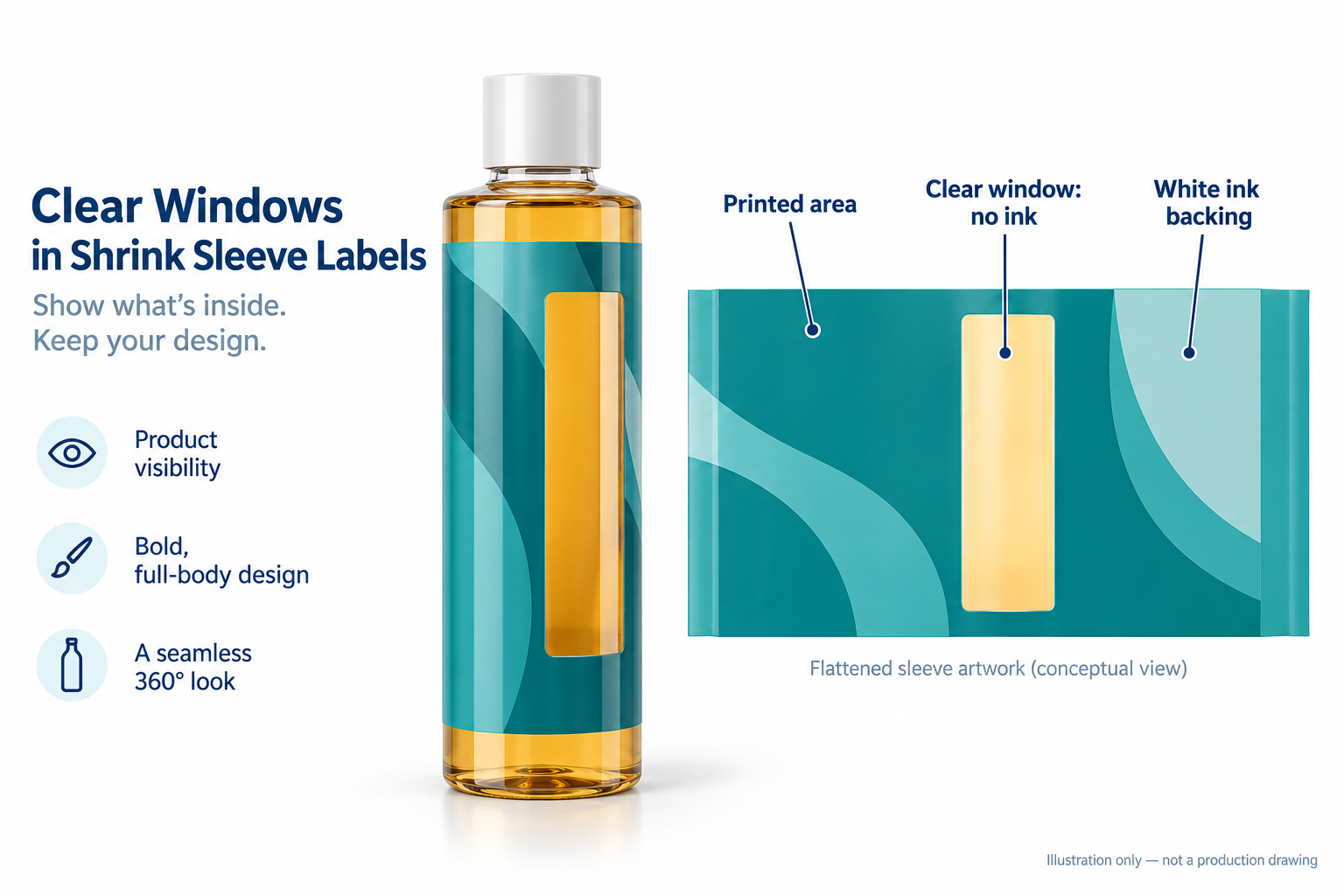
Separate clear film, colour and white ink
On transparent film, white ink can provide a backing for graphics that should look opaque. A genuinely clear viewing area should be excluded from the white ink layer and from colour printing. Removing white alone does not make a colour-printed area colourless. Have the printer review the separations, rather than relying only on the appearance of a PDF against a white screen background.
As a technical reference, Cambridge Label’s shrink sleeve artwork guide explains separate white-ink artwork and areas without white ink for container visibility. File naming, trapping and production settings must still be agreed with your own printer.
Plan the window on the finished bottle
Review the front, back and side views together. Keep the intended display window clear of important text, and discuss where the sleeve seam will sit relative to it. A window that looks well placed on flat artwork may not present the same view once the sleeve follows the container shape.
- Front view: can customers see the intended product area without turning the pack?
- Side and back views: do graphics or seam placement interrupt the view?
- Shoulder and base: does the proposed window extend into a shape transition that needs sample checking?
- Information panel: is there enough separate space for readable text and a barcode?
For the wider artwork workflow, see our shrink sleeve artwork guide. Window position, seam clearance and final dimensions require project-specific confirmation; there is no universal layout that fits every bottle.
Check a representative sample before bulk approval
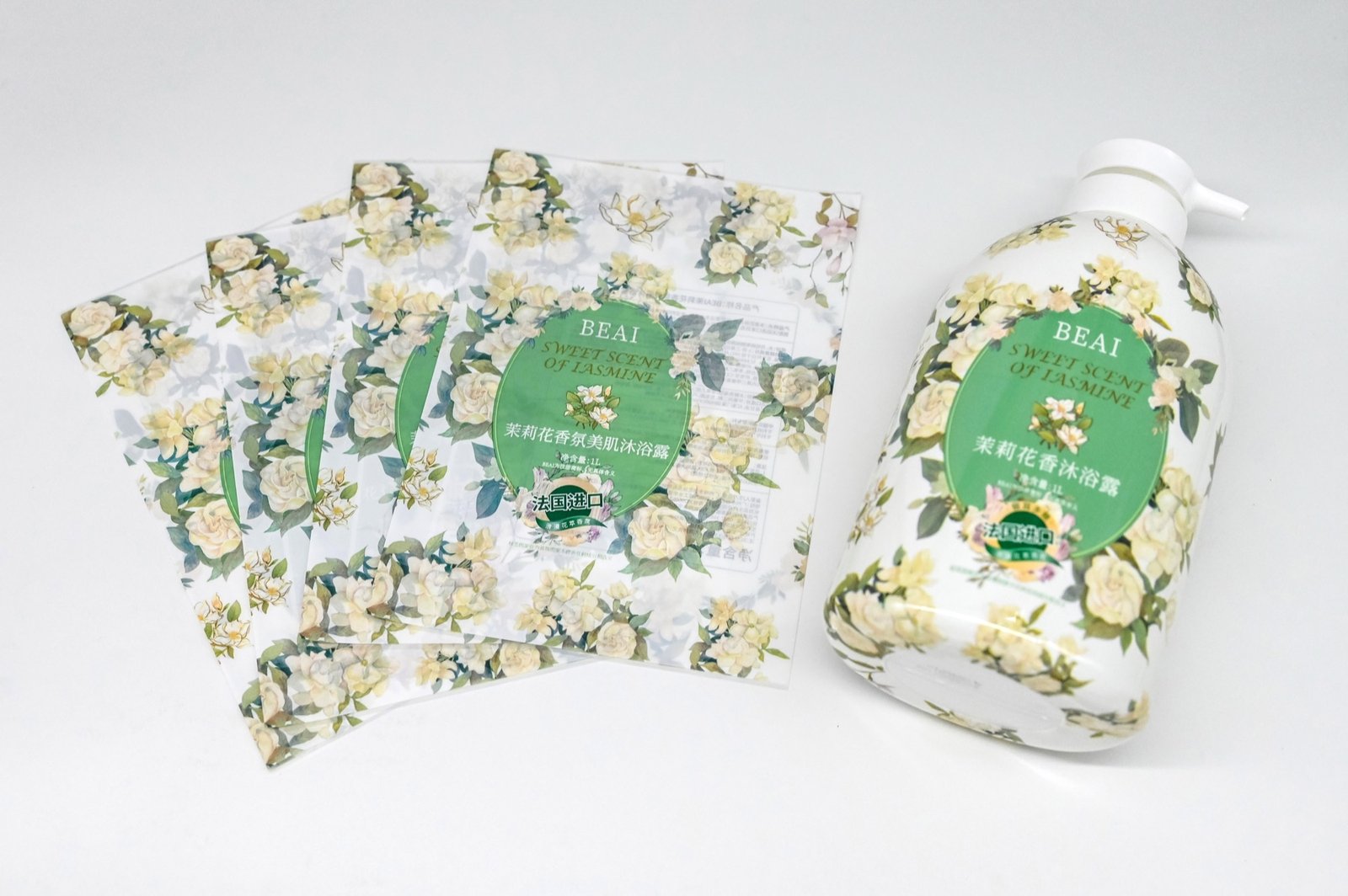
Use the intended container and representative contents for appearance review. Ask to compare the window, surrounding colours and white-backed areas after the agreed shrink application trial. Inspect from several angles under the lighting relevant to your sales setting. A screen preview is useful for layout, but it cannot establish the final optical appearance.
Record what you approve: window position and shape, readability, visible seam location, and acceptable appearance. If your product requires light protection, discuss that requirement before choosing a viewing window; visibility and protection should not be assumed to be interchangeable. Do not approve a transparent design on appearance alone when product protection is important.
What to send for a clear-window sleeve enquiry
- Container photographs, dimensions and, where available, a physical sample.
- A marked image showing the area you want customers to see.
- Artwork with the proposed window and white-ink areas identified.
- Quantity for each design or SKU, rather than only the combined total.
- Known film requirements, application arrangements and destination.
- Any light-protection or other packaging requirements that need evaluation.
Explore our custom shrink sleeve labels, then send your container and artwork for review. We will confirm the suitable specification and quotation after reviewing the project. Film grade, thickness, clarity, tolerances and delivery terms are subject to confirmation.
Email: sales@haosenpack.com
WhatsApp: +86 189 2692 9937